Tutorial: Make your first Crypto Deposit

Several online casinos such as DuckyLuck and SportsandCasino allow their players to deposit using their crypto wallets.

This offers several benefits such as being more discreet, being fast, secure and always approved as no bank approval is required.

Both DuckyLuck and SportsandCasino also offer higher bonuses for crypto deposits, allowing players to get a lot more play time when depositing with Crypto.

If it is your first time or if you are still unfamiliar with Crypto, please follow our step by step tutorial below.

If you need help, don’t hesitate to contact our CryptoKnights who will guide you through the entire process.

Recommended wallets

There are two types of Crypto wallets:

  • web-based wallets that enable you to access your funds from any device connected to the internet.  They store your private keys on a server of a company providing such services. The server is constantly online and is controlled by the wallet provider.
  • mobile wallets that runs as an app on your smartphone, storing your private keys and allowing you to pay for things directly from your phone.

We recommend downloading Exodus that can be used, both on your computers and your mobile devices.

Step 1: Create your crypto wallet

The first step to enable yourself to deposit using crypto currencies is to create a crypto wallet. The CryptoKnights will recommend the best pairing depending on your current location and operating system. This will allow you to use it to deposit and withdraw on the website.

Our recommendation for a crypto wallet is EXODUS. It is available on iOS, Android and PC.

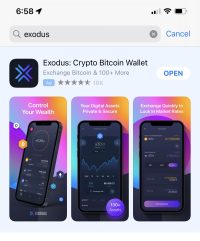
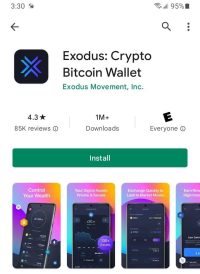
You can download the app by visiting the download page of the Exodus website, or by looking up the app directly in your app store.

exodus playstore
Google Play
Exodus iphone
App Store

Once you have downloaded the app, it will ask you to create a wallet. This wallet is where your crypto currencies will be stored for you to make your deposit or when you withdraw funds from your Casino account.

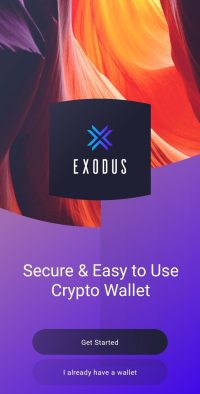
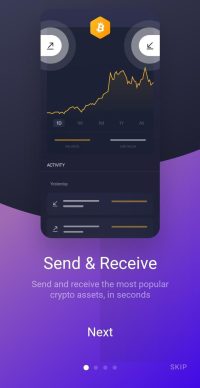
This process is completely automated, just launch the Exodus app, select “Get Started” (unless you already have a wallet you would want to use), read or skip the tutorial and click “Get started” again.

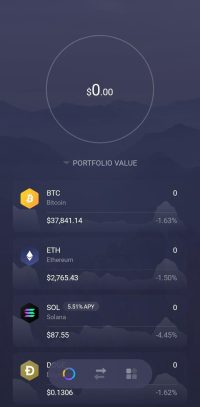
The app will have generated the wallet for you and you are ready to receive and send crypto currencies!

exodus first launch
exodus tutorial
exodus ready

While it is not mandatory, we recommend that you look up and save your passphrase in a safe place. This will allow you to access your wallet and its content on other devices in case you lose or change your current device.

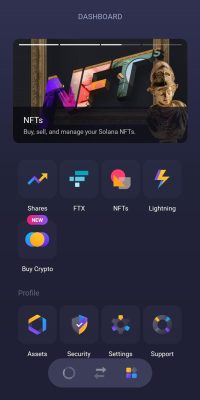
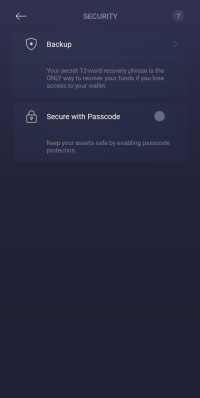
In order to backup your passphrase, you need to press on the four squares at the bottom of your screen (you might need to close a notification using the X). You should get to the App Dashboard from where you need to click on the “Security” icon at the bottom.

The next step is to click “Backup” then on the next screen “View Secret Phrase”. You will see an empty list of 12 words. The app will ask you to press a “Press and Hold to Reveal” Link at the bottom of the page to view your list of 12 recovery words.

You can now note them down and store them in a secure location. These 12 words will allow you to use that wallet on another device should you ever need to.

Step 2: Acquire Crypto

There are several ways to acquire crypto currencies. Some people purchase it directly from people (that is called Peer to Peer). We believe the easiest way is to buy it from a  Cryptocurrencies exchange.

The easiest way is to use the exchange integrated with Exodus, this will allow you to receive the crypto currencies you purchase directly in your wallet.

To do so, please click on the four squares on your Exodus app. This will bring you back to your Dashboard where you can click on the “Buy Crypto” option

The app will ask you to type in the amount you want to purchase, from there, the app will re-direct you to their partner exchange (Ramp) where you will be asked to confirm the amount you want to purchase, then give your personal information and then purchase using your credit card.

Once the transaction is completed, the Bitcoins should show in your Exodus wallet within minutes.

Another option we recommend is to use the leading Cryptocurrencies Exchange Coinbase.

The process is very straightforward.

First, input your personal details.

Then go in your email inbox and click on the confirmation link.

You will then be able to sign-in using your email and your password.

The first time you log in, you will be requested to provide your phone number. This is mandatory in order to secure your account and prevent people from gaining access as they will send you a text message with a code each time you log into your account.

Once you have confirmed your phone number you will be able to access your account.

Once inside your account, you can click “Buy/Sell” to initiate your crypto purchase.

You will then be able to select the crypto currency (Bitcoin) and use a credit card to purchase any amount you choose.

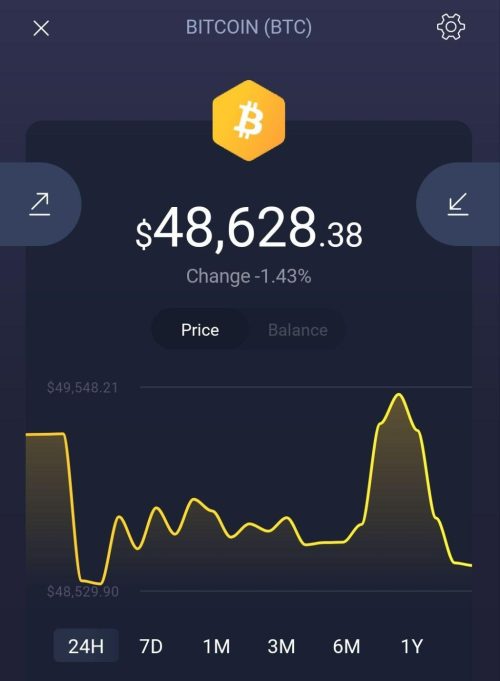
Once the Bitcoin is added to your coinbase account, you can send it to your Exodus wallet. To do so, you can open the app, then click the BTC currency. Then the downwards arrow to “Receive” BTC

exodus receive send

You will then see a QR code that you can scan, but you can also click the text address below the QR to copy it and use it in coinbase to send the money to your wallet.

Once you have the receiving address, you can paste or manually input it in coinbase to “wire” the bitcoin.

This can be done in coinbase by clicking on Send/Receive, then pasting or writing the Exodus receiving address in the “To” box, choose the amount you want to send (you can choose “Max” to send everything) and go to the next step.

Confirm your transaction and you should receive the funds in Exodus within a few minutes.

Step 3: Deposit using crypto in you online casino account

Once you have some Bitcoin funds in your exodus wallet, you can proceed with depositing in your account.

You can do so at the following URLS at DuckyLuck and SportsandCasino:

Deposit with Crypto at DuckyLuck

Deposit with Crypto at SportsandCasino

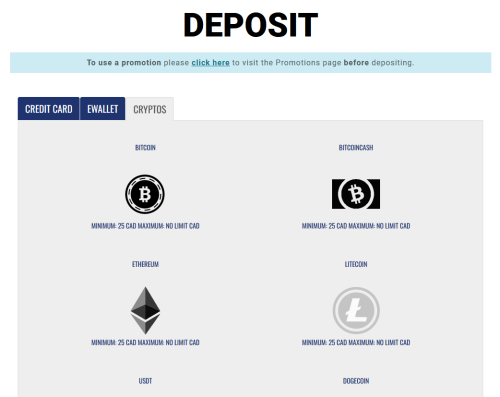
From there, you can select the Cryptos tab and select the crypto currency you will want to use.

DLC and SAC crypto deposit

DuckyLuck and SportsandCasino offer many different Crypto currencies for deposits (Bitcoin, BitcoinCash, Ethereum, Litecoin, USDT and DOGECOIN)

Just click on the crypto currency of your choice to open the payment page.

Type in the amount you would want to deposit and click “Deposit”

The website will display a unique QR code and text address to receive the deposit.

To deposit from the Exodus wallet, just open the app, click on the currency you would like to use (BTC for example), then click on the upwards arrow to send the funds

You will then be able to copy/paste the text address from the casino cashier or scan the QR code if you are not using the same device.

Exodus will then ask you to confirm the send.

Once it’s done, the funds will be added to your account in minutes.

You are now ready to play!